
New World Scheduler Congregation Sharing is a feature that automatically shares and synchronizes data between approved brothers, allowing all appointed brothers to quickly and easily keep up-to-date with what is happening in the congregation.
Congregation Sharing is supported by both NWS Desktop and NWS Mobile.
Before Connecting
- Tell a Congregation Administrator your Email. He will then add you as a Shared Person
- Note: Please do not use your jwpub email address
- Ask your Congregation Administrator for the following information:
- Sharing Region
- Congregation ID
- Congregation Sharing Password
Open Congregation from Sharing
NWS Desktop
- Open NWS Desktop
- At Getting Started, click Open Congregation from Sharing
- Note: If you have already created a congregation or already have a congregation open, you must first Delete that Congregation. You can only have one congregation at a time. Please see How to Change or Delete a Congregation
NWS Mobile
- Open NWS Mobile
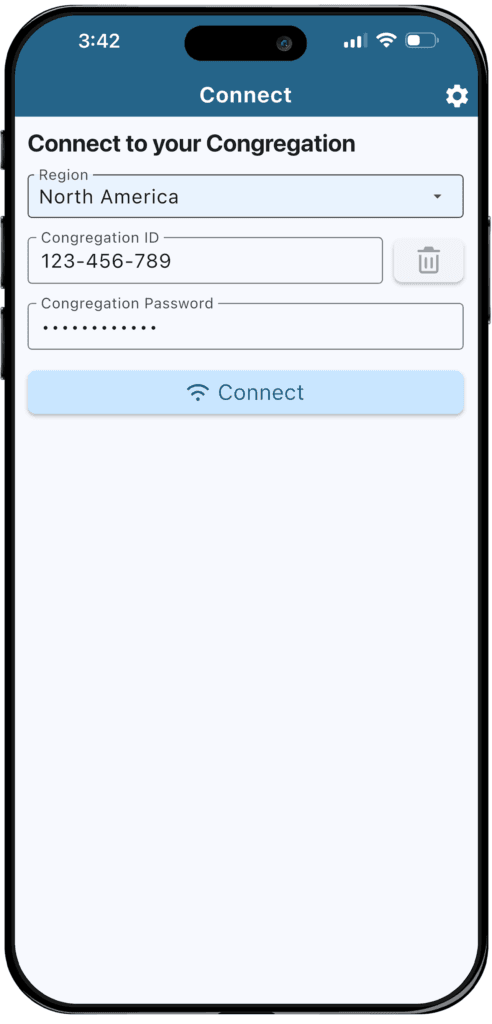
- After tapping Start, you are now on the Connect to Congregation view
- Note: If you have already connect to another congregation, you will need to tap Settings > Disconnect
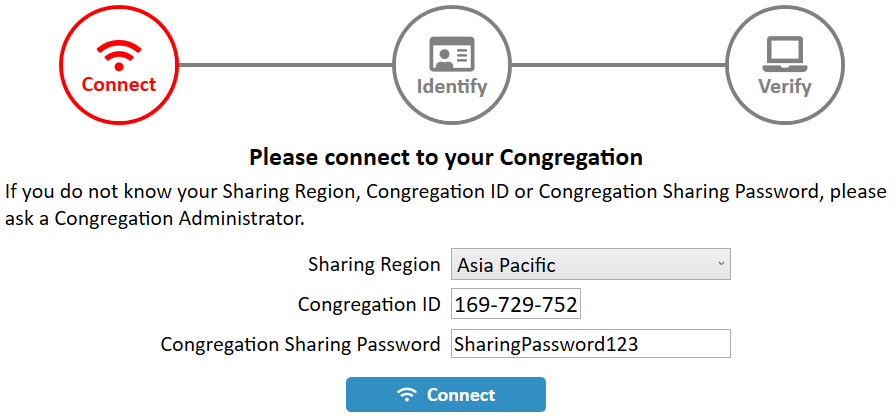
Connect
- Select your Sharing Region
- Enter the Congregation ID
- Enter the Congregation Sharing Password
- Click Connect
Identify
If your Email exactly matches your New World Scheduler Shared Person, the Identify step will complete automatically.
Otherwise, you will see the message “Sorry, this congregation does not have a Shared Person with the above Email.”
- Ensure your Email exactly matches the your New World Scheduler Shared Person Email, then click Identify
- If that doesn’t work, please contact a Congregation Administrator for assistance
- If you are a Congregation Administrator, please see Common Sharing Questions & Problems > Connecting for further help
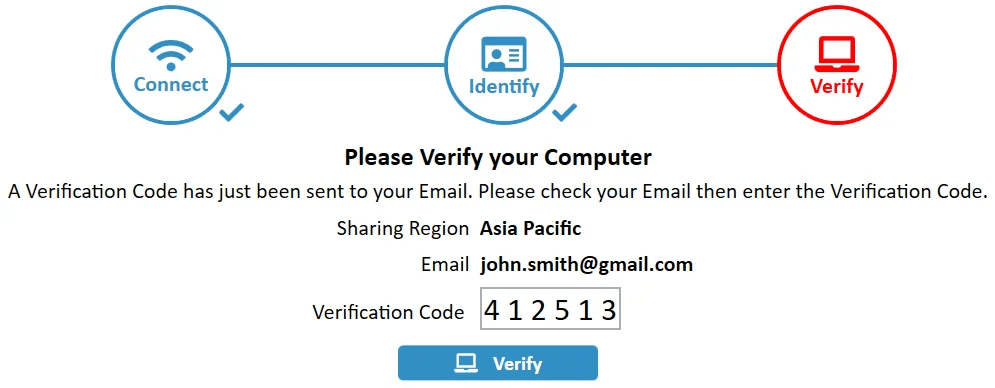
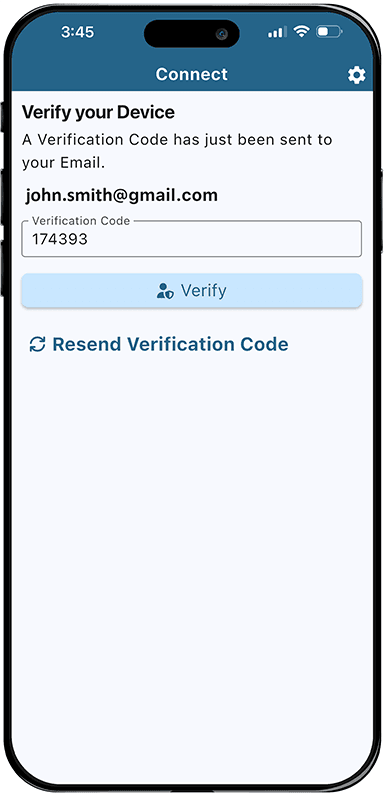
Verify
- A Verification Code will be automatically sent to your Email
- Check your email to find your Verification Code.
- Note: This should arrive within 60 seconds. Sometimes it may be placed in your SPAM or JUNK folders.
- Enter the Verification Code
- Click Verify
Verification problems
If you have problems verifying your email, please try the following:
- Check your SPAM or JUNK folders
- Double-check your Email address is exactly correct
- Click Resend Verification Code
- Create a new email account that will accept emails. We recommend Gmail
- Wait 24 hours and try again. Sometimes email servers go down temporarily
- After you have tried all of the above, please Contact Us
Common Questions and Problems
If you have already created a congregation or already have a congregation open, you must first Delete that Congregation.
You can only have one congregation open at a time. Please see How to Change or Delete a Congregation.