
New World Scheduler (NWS) is software system designed for Jehovah’s Witnesses to help with scheduling and organizing your congregation.
NWS consists of three separate packages that all work together:
NWS Desktop
NWS Desktop is the primary part of New World Scheduler and contains all features and options, including creating a New Congregation and Registration.
NWS Desktop can be installed on any computer that can run Microsoft Windows, or on Apple Mac computers using a Windows Emulator.

Setup New World Scheduler
New World Scheduler must be initially setup using NWS Desktop. After, you can Open your congregation in NWS Mobile and NW Publisher app.
- Download NWS Desktop
- Install NWS Desktop on your computer
- Note: If you have an Apple Mac, see How to Install New World Scheduler on Apple Mac
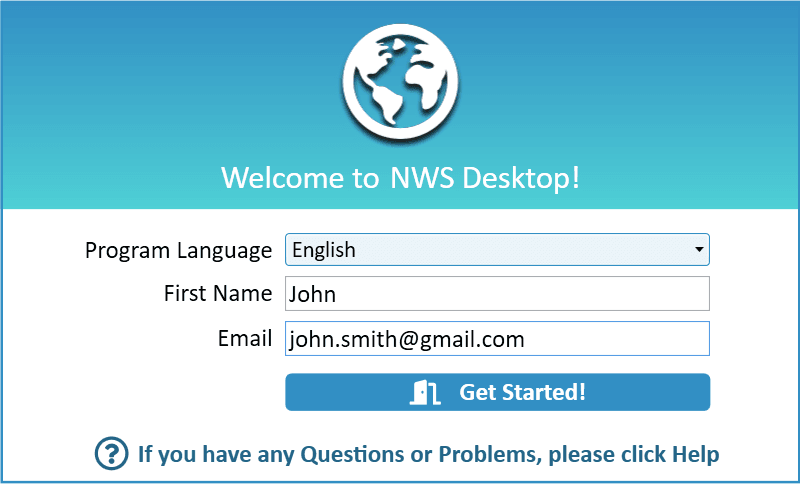
- Open NWS Desktop
- Select your program language
- Enter your First Name and Email
- Note: The only personal information we require to use New World Scheduler is your First Name and Email. Please see our Privacy Policy for more information.
- Click Start
- At Getting Started, either:
Secure your computer
We strongly recommend all appointed brothers implement the following security practices on their personal devices:
- Use the latest version of Windows, and install all the latest Windows Updates
- Ensure your Firewall and Anti-virus software is enabled and up-to-date
- Note: We strongly recommend using the free in-built Windows Anti-virus and Firewall software
- Ensure your Windows Login is password protected
- Choose long and secure passwords for your computer, emails and New World Scheduler
- Enable Windows BitLocker
- Keep all external hard drives and USB drives safe and secure
- Keep all printouts or documents well organised in a safe and secure location
Please see Awake 5/12 p. 28 PROTECT YOURSELF! for further suggestions.
Using NWS
New World Scheduler should be closed correctly after you finish using it, and will automatically close after 20 minutes of inactivity.
- Note: Do not just close the lid of your laptop
There are several reasons for this:
- Some data sync routines only run when the program is first opened
- Some data maintenance routines only run when the program is first opened
- Data program and errors are reduced
- Congregation Sharing and NWP app costs are greatly reduced
Kingdom Hall computer
New World Scheduler may be installed and used on a Kingdom Hall computer.
In lands of limited resources, not everyone may own a computer. A Kingdom Hall computer can be an excellent way to allow all appointed brothers to use New World Scheduler. In some cases, multiple congregations could even use the same Kingdom Hall laptop.
You will require a Congregation License.
The first brother should:
- Create a Windows User Account for themself
- Login to their Windows User Account
- Install and setup New World Scheduler
- Enable and Setup Congregation Sharing
Each other brother should:
- Create a Windows User Account for themself
- Login to their Windows User Account
- Open New World Scheduler
- Click Open a Congregation from Sharing
The same process could be followed by other congregations sharing the Kingdom Hall.
- Note: New World Scheduler data is encrypted and stored inside the local Windows User Account. Therefore, to ensure proper privacy and security of your NWS data, a separate local Windows User Account should be created for each brother.
Backup and Restore
We strongly recommend you are familiar with how to Backup and Restore your data before you start using New World Scheduler.
Please see Backup or Restore Data